Invoice-specific links
Register the invoice details and create a scoped customer link or QR code for that invoice.
Create a scoped invoice link or QR code so a customer can submit a payment notification. Bring the reported details back to the team for verification and follow-up.
No card required. No automatic charge after your trial.
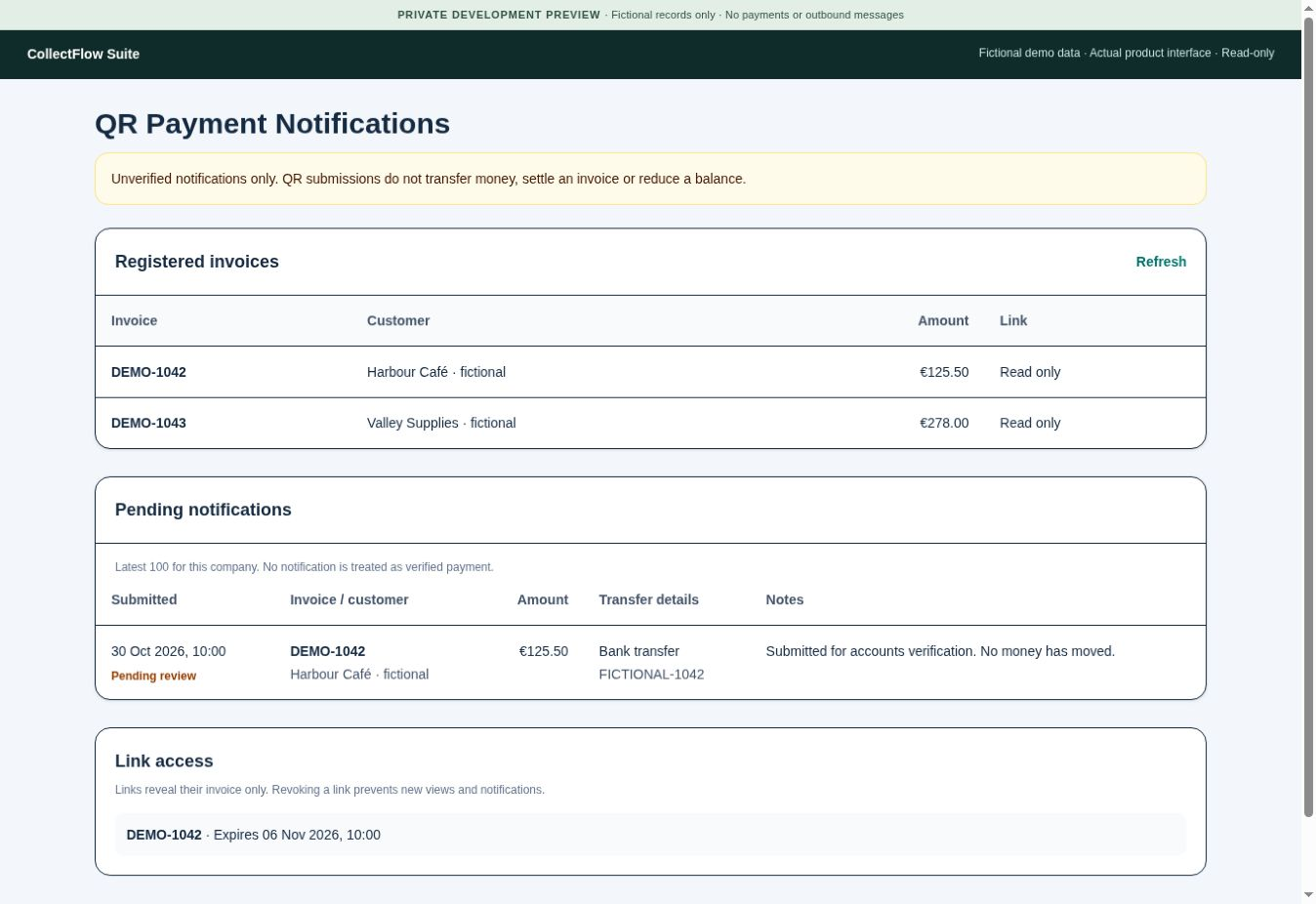
Register the invoice details and create a scoped customer link or QR code for that invoice.
Collect the payment information the customer reports through the linked form for your team to investigate.
Review notifications as unverified information. A submission does not mark an invoice paid or reduce an uploaded ageing balance.
Check the bank or payment provider, obtain allocation details and record the receipt once in your accounting source.
Register the invoice and generate its link or QR code.
The customer submits the reported payment information through that invoice’s form.
Your team verifies the actual funds and allocates the receipt through the accounting workflow.